
When Should Ecommerce Search Ask a Question Instead of Showing Results?
Should ecommerce search ask a question or show products? Explore when to display results, offer optional refinement, and clarify missing information before making critical product claims.
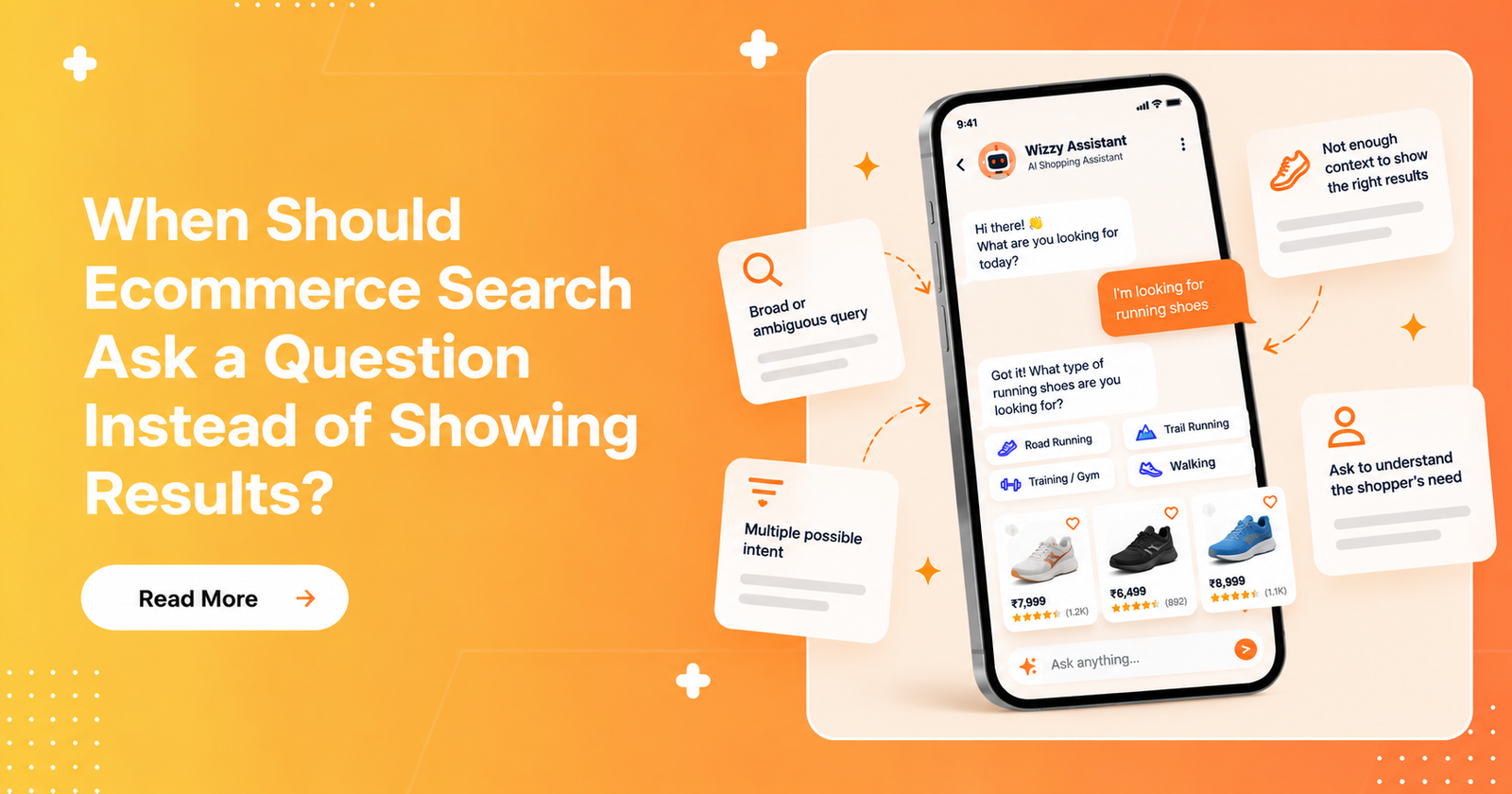
Every question in an ecommerce search experience comes with a trade-off: it can help shoppers find more relevant products, or create another step between them and what they want to buy.
A customer searching for a black cotton T-shirt in size M shouldn't have to answer questions about their size or budget all over again. But someone looking for an ink cartridge compatible with their printer may need to provide the printer model before the store can identify suitable products.
Both situations involve missing information. The difference is whether that information is actually needed to move forward.
As ecommerce search becomes more conversational, this distinction matters. Asking too few questions can lead to irrelevant results or incorrect assumptions. Asking too many can make a simple shopping task feel unnecessarily complicated.
The challenge is knowing when to show products immediately, when to offer shoppers the option to refine their results, and when to clarify something before proceeding.
In this article, we'll explore these three situations using practical ecommerce examples.
1. When Search Should Show Results Immediately
If a shopper's query is clear enough and the store has relevant products to show, search should generally display results without asking unnecessary questions.
Consider a shopper searching for:
“Black cotton T-shirt, size M, under $30.”
The shopper has already specified the product type, colour, material, size, and budget. If the catalogue contains products that match these requirements, the next step is straightforward: show the available options.
Asking, “What size are you looking for?” or “What's your budget?” would simply repeat information the shopper has already provided.
The same principle applies when someone searches for a specific product or brand. If the intent is clear and matching products are available, additional questions may only slow the shopping process.
The takeaway: When the shopper's intent is sufficiently clear and relevant products are available, prioritise showing results over asking questions.
2. When Search Should Show Results With Optional Refinement
Not every search query contains enough detail to produce a highly specific set of results. However, that doesn't always mean the shopper needs to answer a question before browsing.
Imagine someone searching for:
“Coffee table.”
The shopper hasn't specified a shape, material, colour, or price range. The store could ask about these preferences before showing anything, but doing so may create unnecessary friction.
A better approach may be to display a useful selection of coffee tables and offer filters or optional prompts to narrow the results.
For example, shoppers could refine their search by choosing:
- Shape: round, rectangular, or square
- Material: wood, glass, or metal
- Price range
- Style or colour
This lets shoppers explore the available products while retaining control over how specific they want their search to be.
The same approach can work with broader queries such as “running shoes,” “office chairs,” or “skincare products.” The right refinement options depend on the category and the information that meaningfully distinguishes products within it.
The takeaway: If useful results are available but the shopper's preferences are unclear, show products first and make refinement easy.
3. When Search Should Ask a Question Before Showing Results
Sometimes, missing information isn't just a preference. It determines which products are relevant or whether a product can meet the shopper's needs.
Consider someone searching for:
“Ink cartridge for my printer.”
If the store needs the printer's make and model to identify compatible cartridges, showing a random selection could be misleading.
In this situation, asking a targeted question such as “Which printer model do you use?” can help establish the information needed to find suitable products.
Another example is a query such as:
“Coffee.”
Depending on the store's catalogue and context, the shopper could be looking for coffee beans, instant coffee, or a coffee machine. If the search system cannot reasonably determine the intended category, a short clarification may help it return more relevant results.
However, asking questions should not become a default response to every broad query. If the store can show useful results and let shoppers narrow them down, that may be the better experience.
The takeaway: Ask first when the missing information materially affects product selection, category interpretation, or an important requirement that cannot safely be assumed.
4. Asking a Question Doesn't Fix Missing Product Data
There is another important distinction: knowing what the shopper wants is not the same as knowing which products meet their requirements.
Imagine a shopper provides the exact printer model, but the store's catalogue doesn't contain reliable compatibility information for its ink cartridges.
The search experience has successfully clarified the shopper's intent. Yet it still cannot confidently determine which cartridges are compatible.
Asking another question won't automatically solve that problem.
For product discovery to work well, conversational search needs more than an effective dialogue. It also depends on accurate product information, meaningful attributes, and reliable relationships between products and their relevant requirements.
This is particularly important for products where compatibility matters, such as electronics, replacement parts, and accessories.
The takeaway: Clarify the shopper's needs when necessary, but don't treat missing catalogue information as a conversational problem. Better questions cannot compensate for information the store doesn't have.
5. A Practical Framework for Deciding What Search Should Do
There isn't one response that works for every query. The decision depends on the shopper's intent, the available products, and the importance of the missing information.
A practical way to approach the decision is to consider three situations:
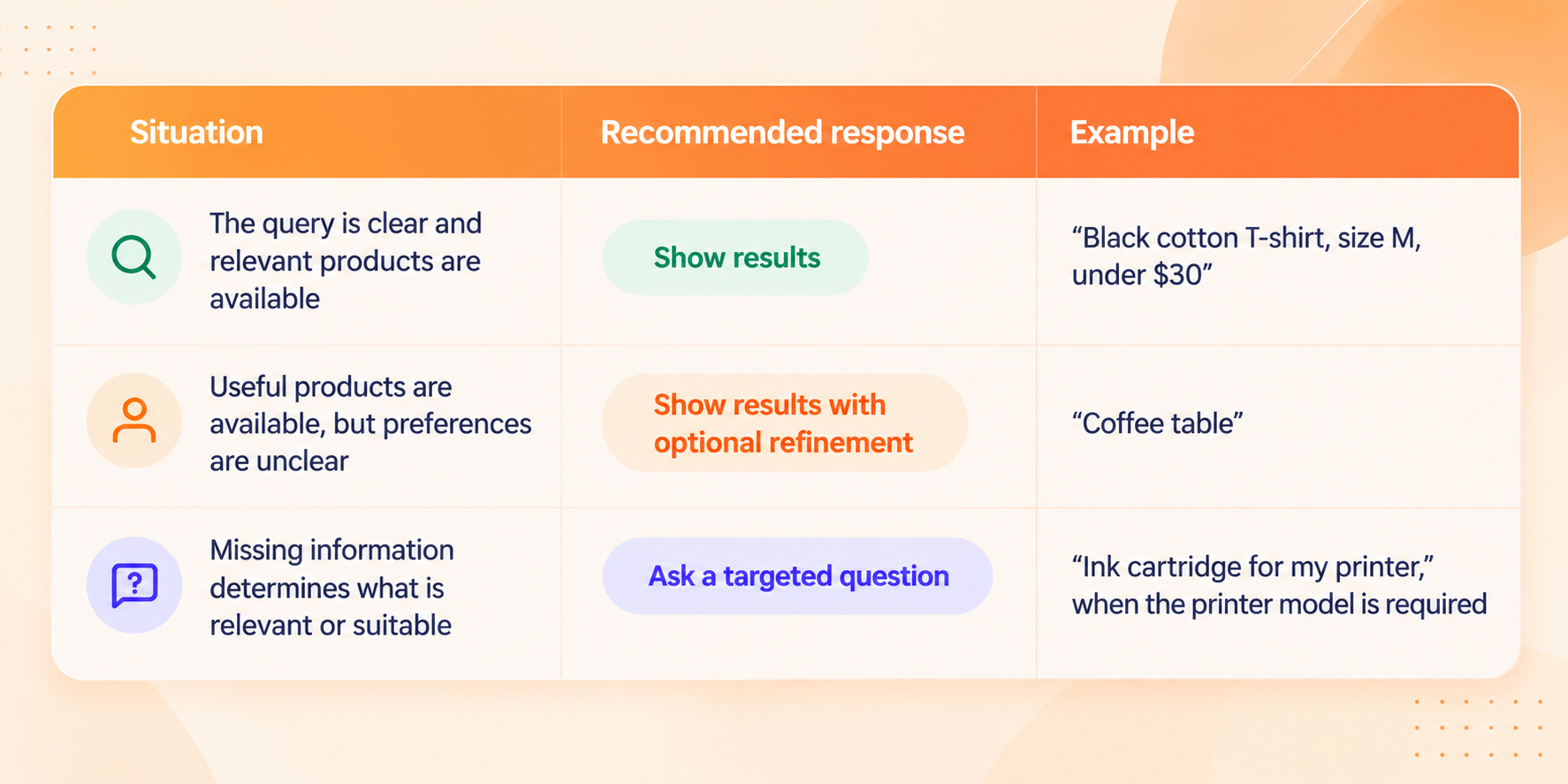
These are decision-making guidelines, not universal rules. The right response can vary depending on the product category, catalogue quality, and context of the search.
For ecommerce teams, the useful question isn't simply whether conversational search should ask questions. It's whether a question helps the shopper make progress.
6. How Ecommerce Teams Can Evaluate Their Search Experience
To apply this framework, ecommerce teams can review real search queries and examine how their search experience responds.
Start by looking at three areas:
Queries that already contain enough information
Check whether shoppers are being asked to repeat details they've already provided, or whether the search experience is showing relevant products directly.
Broad queries with useful results available
Review whether shoppers can browse a reasonable selection and refine it easily, rather than being forced through unnecessary questions.
Queries with critical missing information
Identify searches where an essential detail, such as a product model or required specification, is needed before suitable products can be identified. Check whether the search experience asks a relevant question and whether the catalogue actually contains the information needed to answer it.
It is also worth reviewing searches that return no results, produce irrelevant matches, or repeatedly lead shoppers to refine their queries.
These observations can help teams identify where the search experience creates unnecessary friction and where additional clarification could genuinely improve product discovery.
The framework is a starting point for evaluation. Ecommerce teams should validate their decisions against their own catalogue, search analytics, and customer behaviour rather than assuming that one approach will work equally well for every store.
Final Thoughts
Conversational ecommerce search isn't about asking shoppers more questions. It's about asking the right questions at the right time.
When intent is clear, show relevant products. When preferences are open-ended, let shoppers browse and refine. When essential information is missing, ask a targeted question before making assumptions.
And when the required product information isn't available, recognise that limitation rather than pretending another question will solve it.
The goal is simple: help shoppers find the right products with as little unnecessary effort as possible.
Want to Improve Your Ecommerce Product Discovery?
A better search experience starts with understanding where shoppers struggle to find the products they need.
Wizzy helps ecommerce stores improve product discovery through AI-powered search, smart filters, and related discovery capabilities.
If you want to identify opportunities to improve your store's search and product discovery experience, request a free Product Search & Discovery Audit Report.