
Check Current Usage
Updated Jul 12, 2021
This is how you can check your account usage:
1. Open the Profile name drop down from the top Navigation bar. 2. Select Subscription & Billing. 3. Subscription Stats will reflect your account usage information:
- Product & Pages- Number of items stored on the site
- Synonyms- Number of Synonyms searched through the search box
- Stores- Number of Stores created
- Search Queries - Number of search queries executed from all stores.
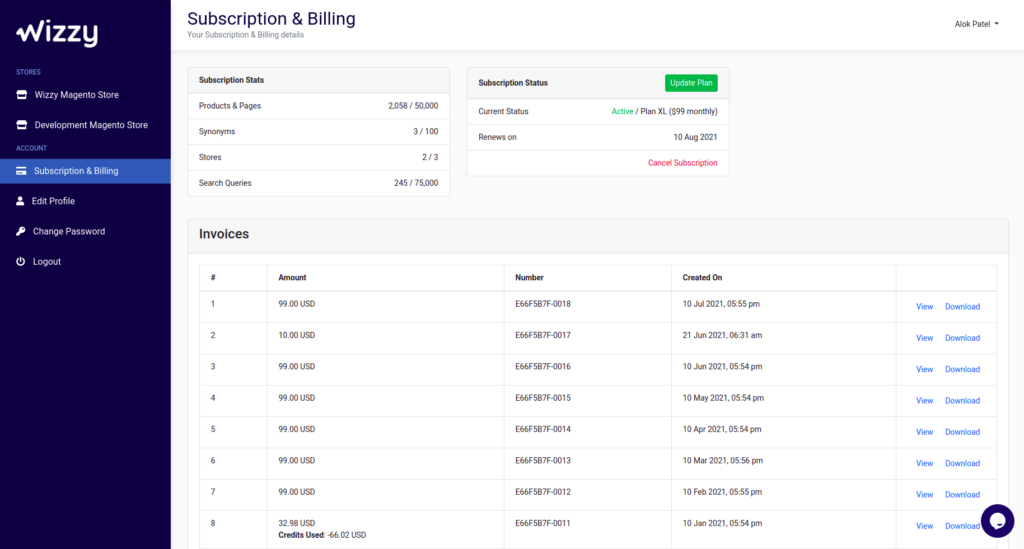
Consider modifying your subscription plan in case you need to increase the limits. If you have any queries, please contactteam@wizzy.ai.