
Switching between Stores
Updated Jul 12, 2021
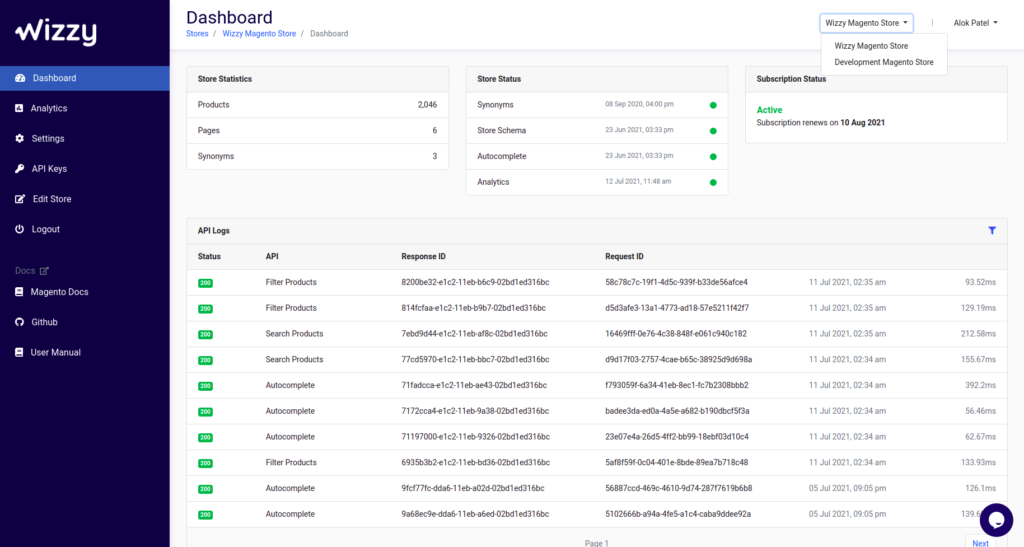
This is how you can switch between different stores:
1. Go to Dashboard 2. Press the tab with the Store name on top navigation next to your profile name. We can switch to another store from the drop-down list. (Each store will have a different environment in your account. All the Settings. API keys are different for each store. It helps you to manage multiple stores easily)
If you have any queries, please contactteam@wizzy.ai.