What Happens When an AI Shopping Assistant Recommends the Wrong Product?
An AI shopping assistant recommends a product that doesn't fit. What happens next? Explore how ecommerce brands can identify incorrect recommendations, investigate the root cause, correct the shopper experience, and prevent similar mistakes.
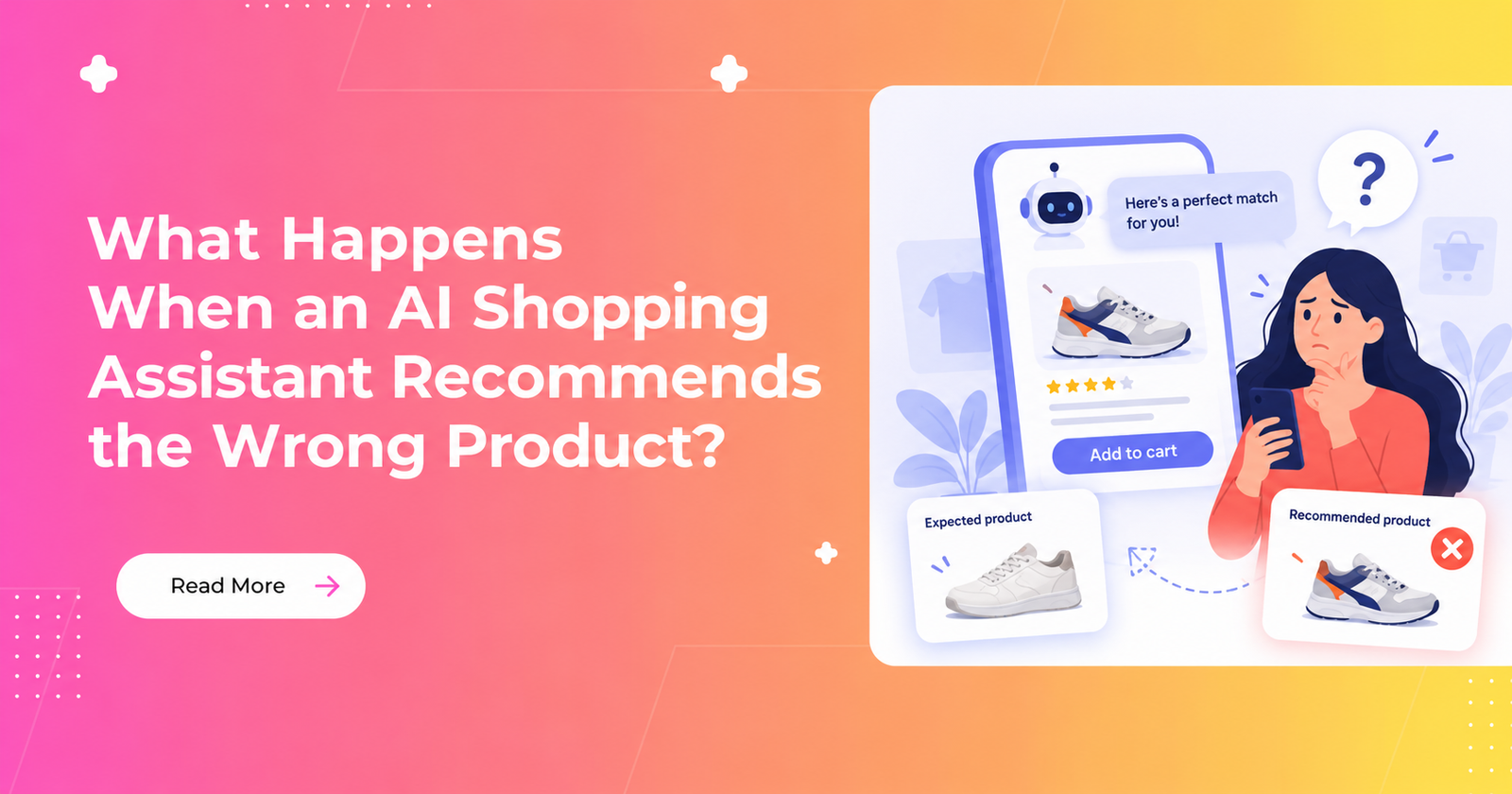
Imagine a customer tells an AI shopping assistant their exact laptop model and asks for a compatible charger. The assistant recommends one confidently, but the charger doesn't actually fit.
For the customer, it's a frustrating experience. For the ecommerce brand, it raises a bigger question: How do you correct a wrong recommendation, prevent it from happening again, and protect customer trust?
As AI becomes more involved in product discovery, giving relevant recommendations is only part of the challenge. Brands also need to ensure those recommendations are accurate, based on reliable product information, and corrected when something goes wrong.
Let's look at how ecommerce teams can approach this problem.
1. Confirm What's Wrong Before Making Another Recommendation
The first step is to establish exactly what went wrong.
In our example, the customer provided a specific laptop model, but the assistant recommended an incompatible charger. The merchant's approved compatibility information confirms the mismatch.
At this point, the incorrect recommendation is established. The reason it happened is not.
The problem could involve incorrect product data, missing compatibility information, a requirement that wasn't carried through the search process, or an answer that claimed more than the available evidence supported.
Don't assume the cause before investigating it.
Instead, record the original request, the recommended product, the compatibility claim, and the reliable product information that contradicts it. Preserve the relevant evidence from the time of the recommendation, where available.
This matters because correcting a product page today doesn't necessarily tell you what information the assistant used earlier.
2. Correct the Customer's Experience First
Once the mismatch is confirmed, the priority is to correct the advice the customer received.
The assistant or merchant-controlled experience should acknowledge the mistake clearly, withdraw the incorrect compatibility claim, and explain what can happen next.
An apology alone isn't enough. The customer still needs help finding the right product.
There are three sensible options:
- Offer a verified alternative. Recommend another charger only after its compatibility with the exact laptop model has been checked.
- Ask for clarification when necessary. If the customer's device model is genuinely unclear, ask for the missing information. Don't make them repeat details they've already provided.
- Explain what cannot be confirmed. If compatibility information is missing or conflicting, say so and provide a real verification or customer-support route, if one is available.
The important distinction is between a product that looks similar and one that is confirmed to meet the customer's requirements.
Research from Baymard Institute on product compatibility highlights why compatibility can be a decisive factor in product selection. A charger that looks right but doesn't fit is still the wrong recommendation.
3. Stop the Same Wrong Recommendation From Appearing Again
While the customer receives a correction, the ecommerce team should investigate whether other shoppers could receive the same incorrect advice.
Start by identifying where the recommendation appeared and which controls the merchant can actually use to limit further exposure.
Depending on the system, that might involve correcting a product record, changing a supported recommendation setting, or asking a technology provider to investigate.
The response should be as targeted as the available evidence allows. If the team cannot reliably isolate the affected recommendation, it may need to consider a broader temporary restriction.
The available controls matter. For example, Shopify's Search & Discovery documentation describes functionality within Shopify's own search and discovery experience. Such documentation does not establish that a merchant can directly control every answer generated by an external AI assistant.
A temporary restriction is a way to contain a problem, not proof that the underlying issue has been fixed.
4. Find the Actual Cause
Once the immediate problem is contained, investigate how the incorrect recommendation happened.
Start with the product information. Was the compatibility data accurate, complete, and specific to the exact device model? A general relationship between two product categories may not prove that a particular accessory fits a particular device.
Next, check whether the customer's requirement was preserved throughout the process. The assistant may have received the correct model but failed to apply that constraint when selecting a product.
Finally, examine the answer itself. Did the system make an unconditional compatibility claim when the available evidence was incomplete?
These are different failure scenarios, and they require different fixes.
If the catalog information was wrong, the relevant data owner may need to correct it. If a hard requirement was lost along the way, the responsible search, product, or integration team needs to investigate that path. If the answer overstated what was known, the assistant's response behaviour may need attention.
More than one factor may be involved. If the evidence doesn't establish the cause, keep it unresolved rather than guessing.
5. Assign Ownership and Test the Fix
A reported mistake shouldn't disappear into a support ticket marked as closed.
Assign someone to coordinate the investigation and identify the appropriate owner for each confirmed issue. Record what changed, who authorised it, and what remains uncertain.
Then test the original scenario again.
For the charger example, the checks could include:
- Repeating the original request with the same laptop model.
- Testing a nearby model to check for incorrect compatibility matches.
- Checking what happens when compatibility information is missing.
- Verifying that an alternative isn't presented as compatible without evidence.
The goal is to establish whether the original failure has been addressed without creating new problems.
The NIST AI Risk Management Framework provides broader guidance on AI risk management, including responsibilities, monitoring, and incident response. It supports the importance of accountable oversight, but it does not validate this particular ecommerce recovery process.
One successful test also doesn't guarantee that the problem cannot recur. Teams should revisit the relevant checks when the underlying product data, configuration, or system changes.
6. Ask Your AI Shopping Provider the Right Questions
If you're evaluating an AI shopping solution, don't limit the demo to perfect recommendations.
Ask the provider to demonstrate what happens when the system recommends an incompatible product.
Can the team trace the recommendation back to the available product information? Can an authorised person restrict the affected behaviour? What happens when compatibility cannot be verified? Who investigates the problem, and how does the team check that the correction worked?
Ask to see the actual controls and evidence available for the proposed integration, rather than relying on a generated explanation of what supposedly went wrong.
These questions help you assess not only recommendation quality but also how a provider handles mistakes and supports the merchant's ability to respond.
Final Thoughts
AI shopping assistants can make product discovery more convenient, but a confident recommendation isn't necessarily a correct one.
For ecommerce brands, the answer isn't simply to make AI recommendations sound more convincing. It's to ensure product claims are supported by reliable information, correct mistakes promptly, and investigate failures without assuming the cause.
The real test of an AI shopping experience isn't just whether it recommends the right product. It's also what happens when it gets something wrong.
Better product discovery starts with better product understanding.
Explore how Wizzy.ai helps ecommerce brands improve product discovery through intelligent search, recommendations, and more relevant shopping experiences.