Why Shoppers Can't Find Products They Know Your Store Sells
Having products in stock doesn't guarantee shoppers can find them. Explore the common reasons ecommerce products go unnoticed, from search terminology and product data to ranking, availability, and filters.
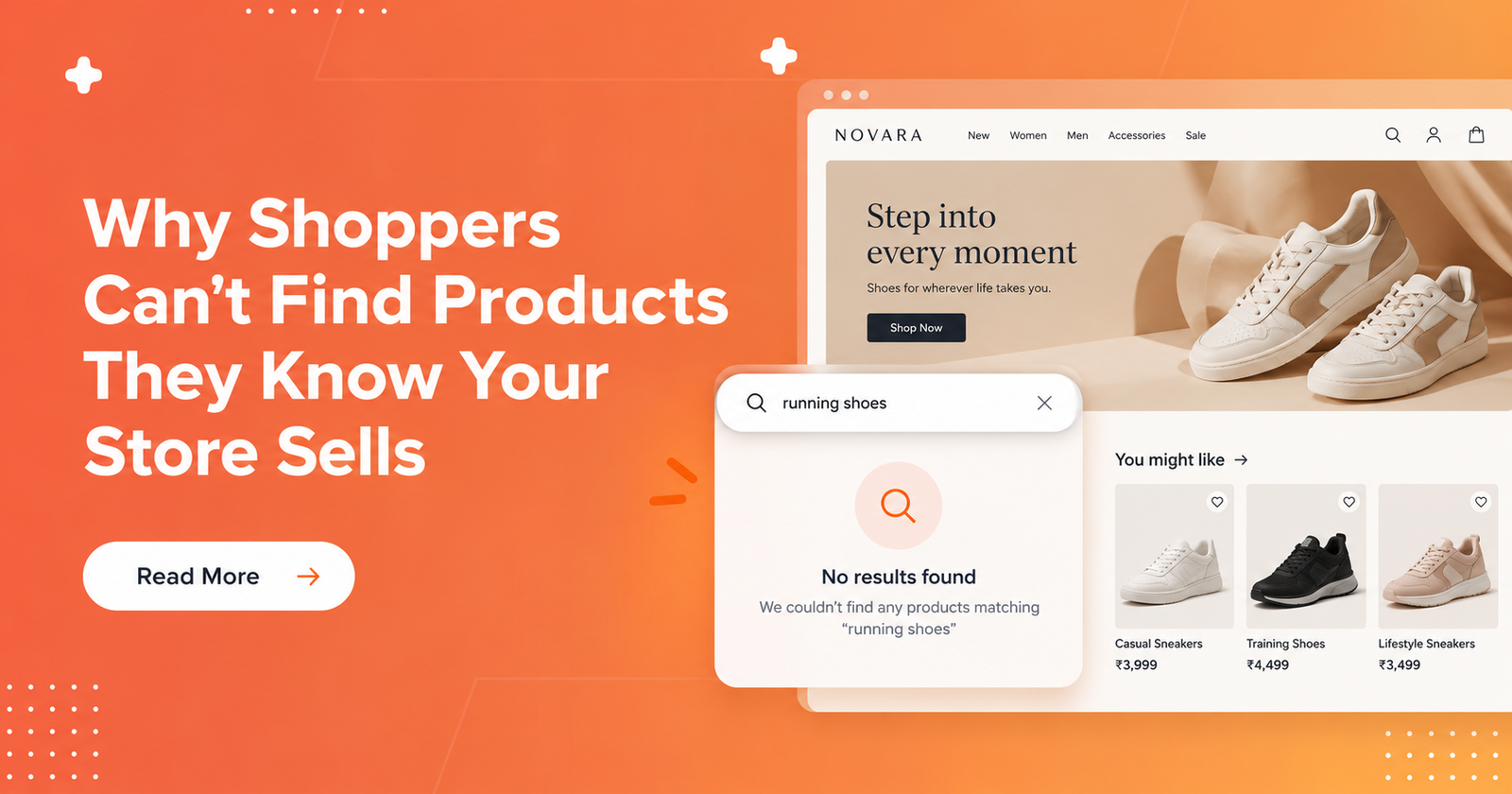
A product can be available in your ecommerce store and still be difficult for shoppers to find.
Someone might search for a product they have bought before, remember its model number, or know exactly what they want. Yet, the expected item might not appear in the results or it might be buried beneath less relevant products.
The problem isn't always that your store has no matching products. It could be the words shoppers use, the product information your search relies on, storefront visibility, stock availability, filters, or the order in which results appear.
For ecommerce brands, this creates an important distinction: having a product in your catalogue doesn't automatically make it easy to find.
Let's look at why this happens and how to investigate the problem before making changes to your store.
1. Shoppers May Search Using Different Words Than Your Product Names
Your team knows your product names. Your customers might know them differently.
Imagine a shopper looking for a Harbor 500 vacuum bottle. Your catalogue lists the product under that exact name, but the shopper searches for “Harbor flask.”
If your search doesn't recognise the relationship between those terms, the expected product might not appear.
This doesn't mean every variation of a product name should automatically return the same results. Words such as “bottle” and “flask” may be interchangeable in some catalogues but refer to different products in others.
The challenge is understanding which terms genuinely refer to the same item.
According to Baymard's research on ecommerce search queries, shoppers sometimes search using specific product titles or model numbers, including details copied from external websites. When an exact search fails, they may assume the retailer doesn't carry the product.
What can ecommerce brands do?
- Compare actual customer queries with your product titles.
- Identify common alternative names, abbreviations, and spelling variations.
- Test whether those terms return the expected product.
- Check the documentation for your search platform before configuring synonyms or other terminology controls.
Shopify, for example, documents typo tolerance and semantic understanding in its search behaviour guidance and search customisation documentation.
The important thing is to test real queries instead of assuming your search already understands how customers describe your products.
2. Important Product Details May Not Be Searchable
Sometimes, shoppers use the right detail to describe a product, but your search cannot use that information to find it.
Consider a shopper who remembers that a bottle holds 500 ml. They search for “500 ml bottle,” but the product doesn't appear.
The capacity might be mentioned in a specification document, stored in a custom field, or missing from the product information that the active search engine uses.
The detail exists somewhere, but that doesn't necessarily mean it participates in free-text search.
For Shopify's native online store search, documented searchable properties include product titles, descriptions, and variant SKUs or barcodes. Shopify also supports filters based on product and variant data, including metafields. However, a field being available for filtering doesn't automatically mean it is searchable through a free-text query.
You can review Shopify's search behaviour documentation and storefront filtering documentation for these distinctions.
What can ecommerce brands do?
Start with the detail the shopper remembers.
If it's a model number, capacity, material, or product code, check where that information is stored in the catalogue. Then verify whether the search platform uses that field.
Also, make sure you're checking the correct product variant. A shopper searching for a specific model or colour may not consider a similar item an acceptable replacement.
The aim isn't to add every product detail everywhere. It's to ensure that important identifying information is accurate and available to the search experience where it matters.
3. A Product Can Exist Without Being Visible in Search
A product record, a published product page, and a product that appears in storefront search are not necessarily the same thing.
For example, a product might open through a saved link but remain absent from search results because of its publication or visibility settings.
Shopify's native search has specific rules around product visibility. Its searchability documentation explains that products must be published to the Online Store to appear in native search. Shopify also supports Unlisted products, which can be accessed through a direct URL but don't appear in Shopify-powered search.
This means that a product opening successfully from a direct link doesn't prove it should appear in search.
Market availability matters, too
An item may be available in one market but unavailable in another.
Shopify documents that search results can reflect the products published in a shopper's market. As a result, two shoppers visiting the same store may not necessarily see the same product availability.
What can ecommerce brands do?
Check:
- Whether the product is published to the relevant sales channel.
- Whether it has been intentionally hidden or marked Unlisted.
- Whether the product is available in the shopper's market.
- Whether the behaviour comes from Shopify's native search, a third-party search app, or a custom storefront.
These distinctions matter because third-party search apps and custom implementations can behave differently from Shopify's native search.
Don't remove intentional visibility restrictions simply to make a product appear. First establish whether the current behaviour is expected.
4. Out-of-Stock Products May Appear Lower in Search Results
A product can be relevant to a shopper's query and still be difficult to find because of its availability.
Suppose someone searches for the Harbor bottle, but every variant is out of stock. Depending on the search configuration, the product might appear at the bottom of the results or be hidden entirely.
Shopify's search behaviour documentation explains that products with all variants out of stock appear last by default in native search. Shopify's Search & Discovery documentation also describes options for showing, hiding, or placing unavailable products last.
The exact behaviour depends on the active configuration and search implementation.
It's also important to distinguish an unavailable variant from an entirely unavailable product. A blue bottle might be out of stock while the red version remains available. That doesn't automatically mean the whole product should be treated as unavailable.
What can ecommerce brands do?
Check the availability of the requested variant, not just the overall product listing.
Then review the rules governing unavailable products in your search experience.
If the product is intentionally hidden because it cannot be purchased, that may be the correct behaviour. If it should remain discoverable, consider whether your current configuration supports that requirement.
For reference, Shopify also documents relevant theme and search request configuration.
5. The Right Product May Be Buried Beneath Less Relevant Results
Sometimes, search returns the expected product. The problem is where it appears.
Imagine a shopper searches for a specific bottle model. The correct item is listed several positions down, while other bottles with less relevant names or attributes appear first.
Technically, the search returned the product. Practically, the shopper may still struggle to find it.
Shopify's search troubleshooting guidance discusses cases where unrelated products rank above an expected item.
Ranking can be influenced by product information and available merchandising controls, but this doesn't mean every search platform offers unrestricted control over result order. Shopify's product boosting guidance also notes that boosting many products can push other relevant results lower.
What can ecommerce brands do?
Start by comparing the expected product with the results appearing above it.
Ask:
- Do the leading results match the shopper's actual query?
- Is the expected product visible without excessive scrolling?
- Are the active sorting and merchandising rules affecting its position?
- Does the same problem occur with other queries?
Avoid immediately boosting the product. First understand why the results are ordered as they are.
A single search is a useful starting point, but it doesn't establish a store-wide ranking problem. Test related queries before deciding what needs to change.
6. The Product Appears, but Shoppers Don't Recognise It
A search result can be technically correct and still fail to help a shopper identify the product.
Imagine the Harbor bottle appears in the results, but the product card shows a generic name and an image that doesn't make the model or capacity clear.
The shopper may overlook it, even though it matches the query.
This is a presentation problem rather than necessarily a search-matching problem.
In its research on ecommerce search snippets, Baymard observed participants struggling to understand why products matched their searches when the relevant information wasn't visible in the results. The research dates to 2014, so it should be treated as a qualitative illustration rather than a measure of current design prevalence.
What can ecommerce brands do?
Review the result card from the shopper's perspective.
- Does the product image make the item recognisable?
- Is the relevant model name or identifying detail visible?
- Does the displayed information help distinguish similar products?
- Can shoppers tell why the product matches their search?
If the expected product is already present in the results, moving it higher may not solve the entire problem. The shopper also needs enough information to recognise it.
7. Filters May Be Removing the Product From View
Filters help shoppers narrow down large catalogues, but they also change which products qualify to appear.
A shopper might find the Harbor bottle in a broad search, select a colour or capacity filter, and then find that the product disappears.
That doesn't automatically mean the filter is broken.
The requested variant may not meet the selected constraint. Alternatively, the product data might be missing, incorrect, or mapped in a way that prevents the item from qualifying.
Shopify's Search & Discovery filtering documentation explains how filters can use product and variant data, with configurable labels and grouping.
What can ecommerce brands do?
Test the same query in two states: first without the filter, then with one specific filter applied.
Next, inspect the underlying product or variant value and check how the filter uses it.
For example, if a shopper selects “500 ml,” verify that the intended variant has the correct capacity value. Don't assume that a filter label guarantees the underlying product data is accurate.
It's equally important not to remove a shopper's constraints just to force more products into the results. The goal is to return the right products for the request, not simply a longer list.
8. Start Troubleshooting With One Specific Search
When shoppers report that they can't find a product, it's tempting to change product names, adjust ranking, or modify search settings immediately.
A better approach is to reproduce the problem first.
Shopify's search troubleshooting guidance recommends documenting details such as the exact query, expected product, actual results, and approximate test time.
Use a simple process:
Step 1: Record the original search. Capture the exact words the shopper entered, including spelling, model numbers, or product codes.
Step 2: Identify the expected product and variant. Confirm that the product exists and that the requested variant is valid for the shopper's requirements.
Step 3: Check the correct storefront experience. Test the same surface the shopper used, whether that's the predictive-search dropdown or the submitted results page. Shopify's predictive-search guidance explains that the dropdown offers a limited set of suggestions, while the full results page can display more results.
Step 4: Record what actually happens. Does the product fail to appear, appear too low, or appear without enough information to be recognised?
Step 5: Check the relevant cause. Investigate wording, searchable product data, visibility, availability, ranking, or filters based on what you observed.
Step 6: Retest after making a change. Repeat the original query and test a closely related query or constraint to check whether the change addresses the problem without creating another one.
Keep observed facts separate from assumptions. For example, a product disappearing after a filter is applied tells you what happened, but not necessarily why.
Conclusion: Being in Stock Isn't Enough
When shoppers can't find products they know your store sells, the problem isn't always a lack of inventory or a failed search.
The product might be listed under unfamiliar terminology, missing important searchable details, unavailable in the relevant storefront or market, pushed lower in the results, difficult to recognise, or excluded by a filter.
Each situation requires a different response. Changing product names won't fix a publication issue, and boosting a product won't necessarily help if shoppers can't recognise it.
The first step is to understand where the discovery process breaks down. Start with a real query, identify the expected product, reproduce the shopper's experience, and investigate the evidence before changing your search configuration.
For cases where a search returns no products at all, you can also read When No Results Is Correct: A Triage Decision Tree for Ecommerce Search.
Better product discovery starts with making it easier for shoppers to find the products that genuinely match what they're looking for.